
What speech to text means and why people need it
Speech to text is the simple idea of turning spoken words into written words. You upload or record audio, and a tool creates a text version that you can copy, search, and share. Many people use it for meeting notes, school lectures, interviews, podcasts, voice memos, and video subtitles. It saves time because you do not have to replay audio again and again to type everything by hand. It also helps you stay organized: once your words become text, you can highlight key points, add headings, or turn the transcript into a summary. For creators and businesses, text makes content easier to reuse. A podcast episode can become a blog post, social media quotes, a newsletter, or FAQ answers. For students, a lecture transcript can turn into study notes. For teams, a meeting transcript helps everyone follow decisions and action items. If you are looking for a free and easy way to do this, audiototextfree.com is built for people who want fast results without complicated steps.
How a free online speech to text tool usually works
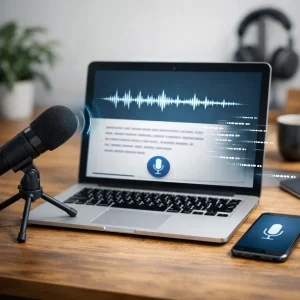
Most online speech to text tools follow the same basic flow. First, you provide an audio source, usually by uploading a file such as MP3, WAV, M4A, or AAC. Some tools also accept video files and extract the audio automatically, which is helpful if you need transcripts from recorded calls or online classes. Next, the system analyzes the sound using automatic speech recognition. During this step, it tries to detect words, punctuation, and speaker changes. When the processing is done, you receive a transcript you can review and edit. To get better results, it helps to start with clear audio: reduce background noise, speak at a steady pace, and keep the microphone close. If your recording includes multiple people, ask them to avoid talking over each other. Even small changes, like recording in a quiet room, can improve accuracy. Once you have the text, you can export it, copy it to another document, or use it to create captions. Many users also like to search inside transcripts to find specific moments in long recordings, which is much faster than scrolling through a timeline.
Who benefits most from converting speech into text
Speech to text is useful for almost everyone, but a few groups benefit the most. Content creators use transcripts to improve search visibility and reach people who prefer reading. Adding text to your audio content also helps your site show up in more searches, because search engines cannot “listen” the same way humans can. Students and teachers rely on transcripts to review lessons, quote important lines, and support learning for different needs. Journalists and researchers use speech to text to turn interviews into written records, making it easier to fact check and pull direct quotes. Customer support teams convert calls into text so they can learn from real conversations and spot common issues. HR teams can document interviews and training sessions. People who speak multiple languages often use transcription as a first step before translation. Accessibility is another big reason: captions and transcripts help people who are deaf or hard of hearing, and they also help viewers understand speech in noisy places or when audio quality is not perfect. When you can quickly turn speech into text for free, these benefits become available to more people, not just large companies with big budgets.
Tips to get clean transcripts with fewer edits
Even the best speech to text tools work better when the audio is prepared well. If you are recording new audio, choose a quiet space and avoid echo. Soft furniture, curtains, and carpets reduce room noise. Use a simple external microphone if possible, because phone and laptop microphones often pick up background sound. Speak clearly, but do not overdo it; a natural pace is easier for both humans and software. If you are transcribing an existing file, do a quick check before uploading: cut long silence, raise the volume slightly if it is very low, and make sure the file is not distorted. When more than one person speaks, try to capture each voice at a similar volume. If the recording includes strong accents or switching between languages, expect to review the transcript more carefully and correct names, technical terms, and slang. It also helps to add context during editing, such as headings for topics, timestamps for important moments, or labels like “Speaker 1” and “Speaker 2.” These small improvements turn a basic transcript into a useful document that is easy to read and easy to share.
Use audiototextfree.com to turn speech into text without hassle
audiototextfree.com focuses on making transcription simple for everyday users. If you want a free speech to text solution, the best experience comes from a tool that is fast, clear, and easy to use on any device. A good workflow is to upload your audio, wait for the transcript, then spend a few minutes reviewing the text for names and special terms. After that, you can reuse the transcript in many ways: create subtitles for a video, write show notes for a podcast, build study materials, or keep records for work. If you publish online, adding a transcript can also help more people find your content and understand it better. The goal is not just to convert speech into text, but to make your information more useful. With a free option, you can test different recordings, learn what improves accuracy, and build a reliable habit of turning voice into searchable text. When you need quick documentation and do not want to waste time typing, speech to text online is one of the easiest upgrades you can make.


