
Why mobile transcription matters
Audio transcription is often discussed as a desktop task, but many people now record, share, and manage audio from their phones and tablets. A mobile workflow helps users capture ideas, meetings, voice notes, interviews, and quick updates wherever they are. For a website focused on AI audio to text, this topic fills an important gap because it explains how transcription fits into real daily routines, especially when users are away from a computer. Mobile transcription is useful for journalists collecting quotes in the field, students recording class notes, business teams sharing spoken updates, and creators turning short recordings into written content quickly.
One of the main advantages of a mobile-first approach is speed. People often record audio at the exact moment information is fresh and important. Converting that audio into text soon after recording makes it easier to search, organize, and reuse. Instead of waiting until the end of the day to upload files manually, users can move from audio capture to text review much faster. This reduces the chance of losing details and helps teams act on information sooner. A simple mobile workflow can also improve consistency because users are more likely to transcribe recordings regularly when the process feels easy and convenient.
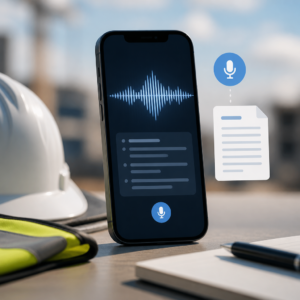
How to build a simple mobile workflow
A practical mobile transcription workflow begins before the upload step. Users should record in a quiet space when possible, keep the phone microphone unobstructed, and place the device close enough to speakers for clear sound. If several people are talking, encouraging them to speak one at a time can make the final transcript easier to read. After recording, the next step is to name the file clearly so it is easy to find later. A useful naming format might include the date, topic, and speaker or project name. Good file organization matters even more on mobile because devices can quickly fill with voice notes and shared media.
Once the audio file is ready, users can upload it to an AI transcription tool and let the system convert speech into text. After the transcript is generated, it helps to scan for names, numbers, technical terms, or industry language that may need quick corrections. On a phone or tablet, users may prefer to do a fast first review and save a deeper edit for later on a larger screen. That approach keeps the process efficient without slowing down the benefits of immediate transcription. If the transcript is needed for communication, users can copy the text into an email, notes app, document, or team platform right away.
Best use cases for users on the go
Mobile transcription supports many situations where desktop access is limited or delayed. Sales teams can record meeting recaps after client calls and turn them into text for a customer record. Reporters can capture interviews in the field and quickly identify key quotes. Students can dictate project ideas between classes and convert them into written notes for later review. Healthcare, legal, and business professionals may also use mobile-friendly transcription processes to document spoken observations, depending on their internal policies and privacy requirements. In each case, the value comes from turning spoken information into searchable text before important details are forgotten.
Another strong use case is content planning. Many people think faster when speaking than when typing, especially when brainstorming article ideas, social media concepts, outlines, or marketing messages. A mobile recording can become the first draft of a blog post, a list of content points, or a summary of a discussion. This helps users reduce blank-page pressure and create text from natural speech. Mobile workflows are also helpful for personal productivity. Quick voice memos can be transcribed into task lists, reminders, or journal entries, making spoken information easier to sort and revisit later. For users who rely on flexible tools, audio to text on mobile adds speed without requiring a full office setup.
Tips for better results and easier organization
To get the most value from mobile transcription, users should keep their process simple and repeatable. Record in a steady environment when possible, avoid moving the phone too much during speech, and check that the audio file saves correctly before leaving the recording screen. It is also useful to group files by category, such as meetings, interviews, ideas, classes, or client notes. Clear folders and filenames make transcripts easier to retrieve later. If a transcript will be reused for captions, documentation, or publishing, users should plan a second review step to confirm wording and formatting before final use.
Mobile transcription works best when it is part of a larger habit of capturing, converting, and organizing spoken information. The goal is not only to change audio into text, but also to make that text useful. When users can record from anywhere, upload in a few steps, and quickly review the transcript, they save time and make spoken content easier to manage. For an AI audio to text platform, supporting mobile workflows means serving users in real-world conditions where ideas happen outside the desk. As more work, study, and content creation happen on the move, mobile transcription becomes a practical way to keep information accurate, accessible, and ready to use.


